Wiadomość w dyskusji
„Paczka dotarła uszkodzona. Wysyłam zdjęcie. Co mogę teraz zrobić?”
Nowa wiadomość Kupującego w dyskusji Allegro
Najczęściej szukane treści
Automatycznie odpowiada na nowe Dyskusje i Reklamacje Allegro, zanim czas reakcji obniży jakość obsługi.


Wybierz prostą wiadomość, dynamiczny szablon albo odpowiedź przygotowaną przez AI na podstawie dostępnego kontekstu dyskusji i zamówienia.
„Paczka dotarła uszkodzona. Wysyłam zdjęcie. Co mogę teraz zrobić?”
Nowa wiadomość Kupującego w dyskusji Allegro
„Dziękujemy za wiadomość. Sprawdzimy zgłoszenie i odpowiemy najszybciej, jak to będzie możliwe.”
„Dziękujemy za przesłane zdjęcie. Sprawdzamy zamówienie i status przesyłki. Wrócimy z rozwiązaniem jeszcze w godzinach pracy naszego zespołu.”
„Przykro nam, że przesyłka dotarła uszkodzona. Na załączonym zdjęciu widać wgniecione opakowanie i uszkodzony narożnik produktu. Zweryfikujemy zgłoszenie dla tego zamówienia i wrócimy z dalszymi krokami.”
Odpowiedź dopasowana do treści zgłoszenia AI może korzystać z danych dyskusji, zamówienia, oferty i przesyłki.Autoresponder pilnuje nowych wiadomości również wtedy, gdy Twój zespół nie może odpowiedzieć od razu.
Ustaw zakres odpowiedzi, działanie poza godzinami pracy, powiadomienia, AI oraz częstotliwość uruchamiania. Poniżej widzisz prawdziwy ekran aplikacji.


Dzięki szablonom wiadomości treść odpowiedzi autorespondera może być zależna od:
Jeśli nie potrzebujesz reguł, możesz użyć zwykłej statycznej treści.
Otwórz edytor szablonu

Jednym ustawieniem możesz włączyć odpowiedzi generowane przez Chat GPT. Model może analizować treść rozmowy oraz dostępny kontekst zgłoszenia, aby odpowiedzieć precyzyjniej niż zwykła automatyczna wiadomość. Model wybierasz w ustawieniach API GPT.
Informacje o wysłanych odpowiedziach Autorespondera znajdziesz w powiadomieniach. Możesz sprawdzić, kiedy narzędzie udzieliło odpowiedzi.
Narzędzie jest monitorowane i odporne na zapętlenie odpowiedzi, blokowane wiadomości oraz przejściowe błędy Allegro.
Otwórz powiadomienia

Przy pierwszym uruchomieniu Autoresponder sprawdza zaległe dyskusje i reklamacje bez odpowiedzi z okresu uwzględnianego przy obliczaniu wskaźników jakości. Automatyczne udzielenie odpowiedzi zapobiega dalszemu pogarszaniu tych wskaźników. Przy kolejnych uruchomieniach sprawdza nowe wiadomości zgodnie z wybraną częstotliwością.
Łączymy prostą konfigurację z możliwościami potrzebnymi przy codziennej obsłudze dyskusji i reklamacji Allegro.
W prezentowanym zestawieniu certyfikowanych integratorów Allegro aż 93% Sprzedających korzystających z Niezbędnika Sprzedawcy należy do grona najlepiej ocenianych. To najwyższy wynik w zestawieniu certyfikowanych integratorów — potwierdzenie, że nasze rozwiązania pomagają zapewniać najlepszą jakość sprzedaży na Allegro.
Zobacz certyfikowanych integratorów Allegro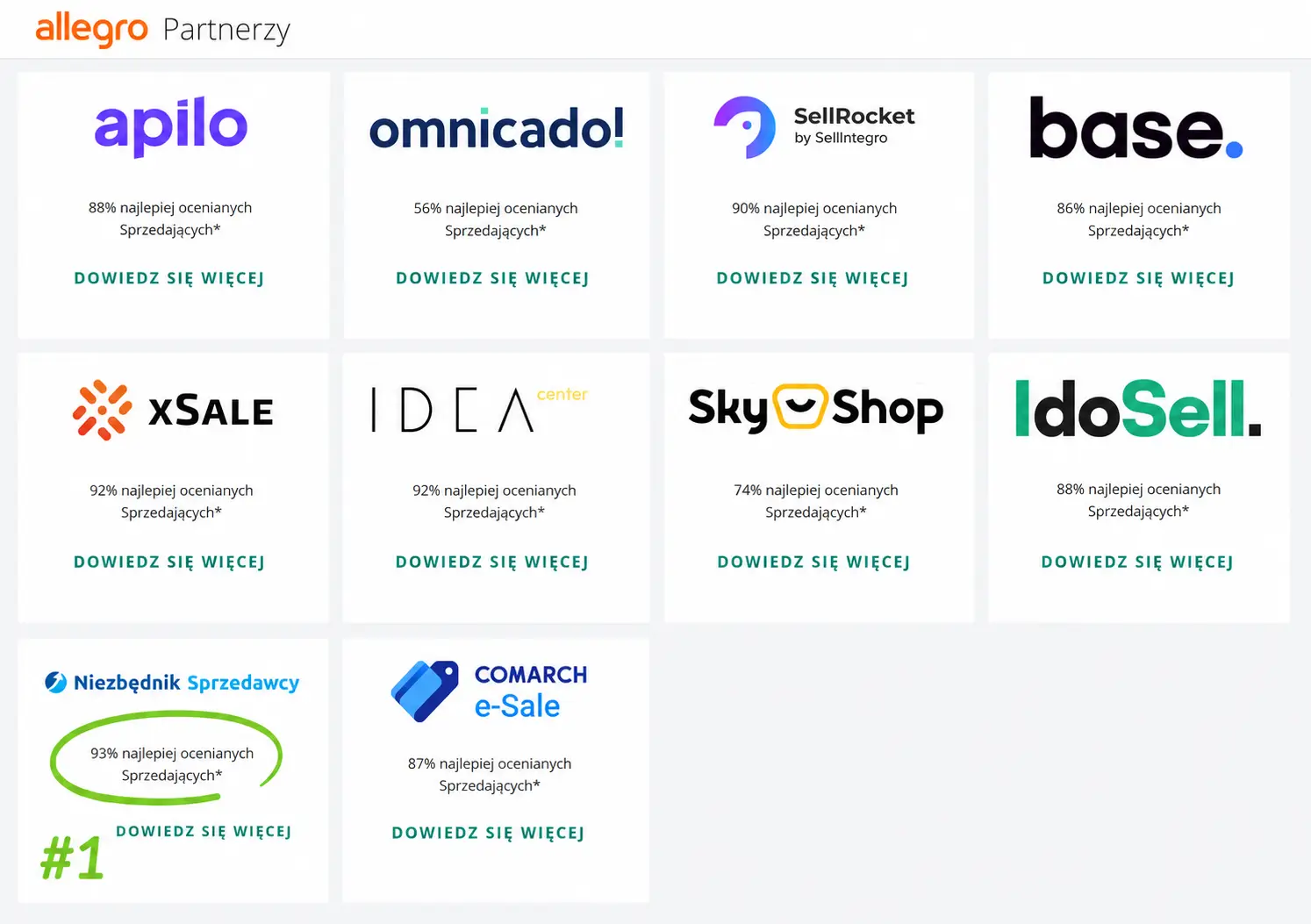
Połączenie z Allegro odbywa się przez autoryzowane API. Wiadomości są sprawdzane w locie; w historii działania zapisywane są dane potrzebne do weryfikacji odpowiedzi, takie jak nadawca i czas zdarzenia.
Najważniejsze informacje przed uruchomieniem pierwszej automatycznej odpowiedzi.
Masz inne pytanie? Napisz do nasNa nowe wiadomości Kupującego w dyskusjach i reklamacjach Allegro, na które nie odpowiedział Sprzedawca. Domyślnie reaguje na każdą taką wiadomość, a w ustawieniach możesz ograniczyć go do pierwszej wiadomości w rozmowie.
Zależnie od ustawień narzędzie może uruchamiać się co około 5, 15, 30 lub 60 minut. Przy pierwszym uruchomieniu sprawdza również zaległe dyskusje i reklamacje bez odpowiedzi z okresu uwzględnianego przy obliczaniu wskaźników jakości.
Tak. W ustawieniach możesz włączyć odpowiadanie wyłącznie poza godzinami pracy zapisanymi dla firmy.
Między innymi od konta Allegro, liczby i treści wiadomości, aktualnej godziny, statusu zamówienia lub wysyłki, obecności załącznika oraz wykrytego języka.
Tak. AI może rozpoznawać zdjęcia dołączone przez Kupującego i korzystać z dostępnego kontekstu, takiego jak dane oferty, zamówienia, powód dyskusji, status przesyłki i numer śledzenia.
Aktualny koszt narzędzia znajdziesz w cenniku. Możesz rozpocząć od 7-dniowego okresu próbnego.
Tak. Narzędzie działa przez API udostępnione przez Allegro w celu zwiększenia wydajności sprzedaży. Ustawiona przez Ciebie treść odpowiedzi powinna być zgodna z regulaminem Allegro.
AI wybiera odbiorcę wyłącznie z zapisanej treści sprzedawcy. Bez numeru lub adresu w tym kontekście odpowiednie powiadomienie nie jest dostępne. Wiadomość kupującego nie może zmienić odbiorcy ani zasad działania. SMS-y korzystają z abonamentu i limitu SMS.
Uprawnienia możesz przygotować wcześniej, ale narzędzia działają po włączeniu i zapisaniu GPT tego autorespondera. Ustawienia dla wiadomości Allegro i dla dyskusji są niezależne.
Po włączeniu „Wyślij istniejącą fakturę” AI może sprawdzić dokument dla jednoznacznie powiązanego zamówienia kupującego. Jeśli faktura jest już dodana w Allegro, podaje link do szczegółów zakupu, skąd klient może ją pobrać. W przeciwnym razie może dołączyć do odpowiedzi istniejący PDF z integracji wFirma, iFirma, Fakturownia lub inFakt, do 2 MB.
Narzędzie nie wystawia nowych faktur. Gdy nie można jednoznacznie ustalić zamówienia, AI prosi kupującego o jego numer. Jeśli faktury brakuje, nie może jej przesłać.
W Logu użycia tokenów AI przy odpowiednim wywołaniu GPT zobaczysz nazwę narzędzia, status i wynik działania oraz tokeny i koszt tego wywołania.
„Zakolejkowano” oznacza oczekiwanie na wysyłkę SMS-a, a „Wysłano” potwierdzoną wysyłkę. Samo przygotowanie faktury nie potwierdza jej wysłania. Przy statusie „Wynik niepewny” sprawdź rozmowę lub status powiadomienia przed ponowieniem.
Uruchom okres próbny i sprawdź działanie na własnym koncie Allegro.
Uruchamiam czat…
Uzyskaj szybką odpowiedź o każdej porze — 24/7.